
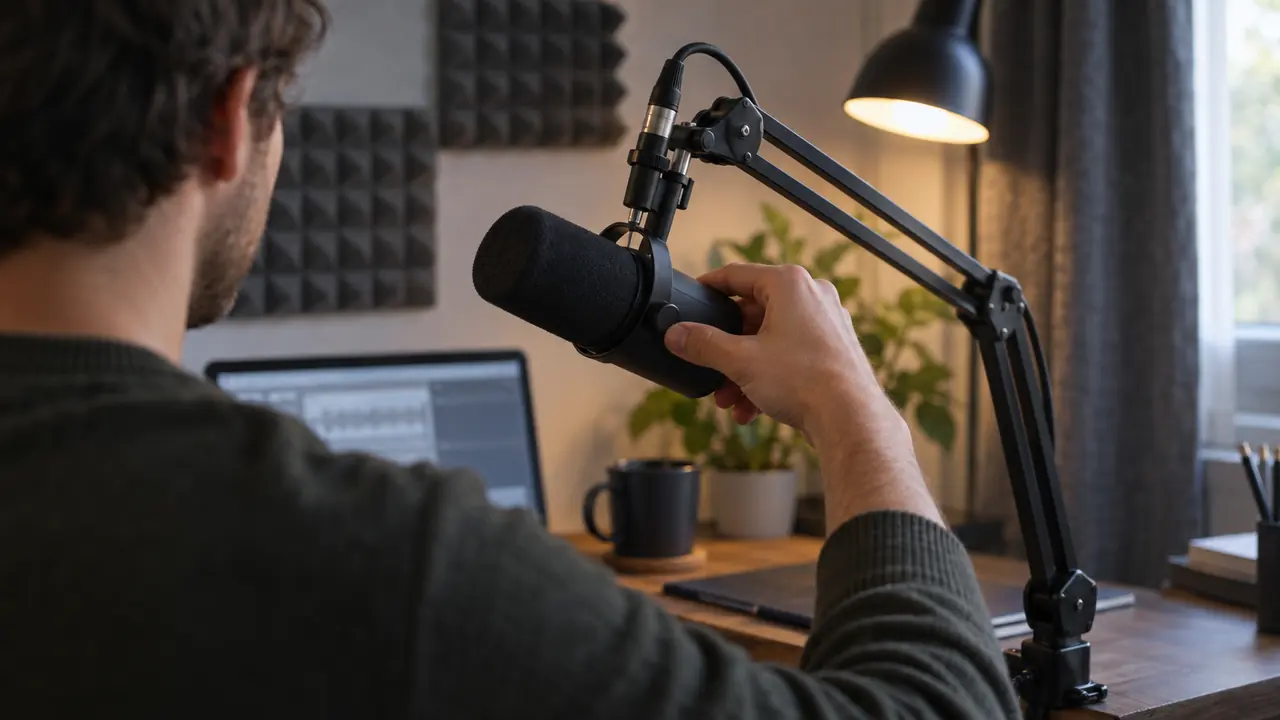
Voice recognition has made spectacular progress in recent years. A tool like Ondula, which uses a state-of-the-art speech recognition model, can reach professional-grade accuracy under the right conditions. But "the right conditions" take preparation. Here are ten practical tips to get the most out of your voice dictation software.
1. Invest in a Good Microphone
This is the simplest and most effective advice. Your laptop's built-in microphone is designed for video calls, not voice dictation. It picks up as much background noise as voice, forcing the recognition engine to guess.
A wired lavalier mic from around €25 (like the BOYA BY-M1 Pro, which plugs into a 3.5 mm jack) or an €80 USB desk mic (like the Rode NT-USB Mini) makes an immediate difference. The golden rule: the mic should be 15-20 cm from your mouth, pointed at you, in cardioid mode if available. Our guide to the best microphones for dictation compares eight models by budget.
Do not underestimate this investment. It is the single variable with the greatest impact on transcription quality — far more than any software setting.
2. Speak Naturally, Without Forcing
The most common mistake beginners make with voice dictation is speaking robotically, separating each word. Paradoxically, this degrades accuracy. Modern speech recognition models are trained on natural speech — they understand fluid sentences better than isolated words.
Speak as if you were explaining something to a colleague. A steady pace, normal intonation, complete sentences. The model uses the context of the sentence to disambiguate words — the more context you give it, the more accurate it becomes.
Also avoid shouting or whispering. A normal conversational volume produces the best results.
3. Reduce Background Noise
Background noise is the number one enemy of voice recognition. A fan, an open window facing the street, a coffee machine, colleagues talking — each noise source reduces accuracy.
A few simple actions make a big difference:
- Close the window during your dictation sessions
- Move away from noise sources (air conditioning, fan, printer)
- Use a mic with noise reduction if you work in an open-plan office
- Dictate in a quiet room when possible
- Put your phone on silent to avoid notification sounds
If your environment is structurally noisy (open-plan office, nearby construction), a headset with active noise cancellation like the Jabra Evolve2 75 solves the problem at its source.
4. Dictate Complete Sentences, Not Isolated Words
Dictating word by word is tempting when starting out, but it is counterproductive. Modern voice recognition models use linguistic context to improve accuracy. The word "read" will be correctly transcribed as past or present tense based on the rest of the sentence — but only if you speak the entire sentence.
Make a habit of mentally formulating your sentence before dictating it. You can pause between sentences, but avoid breaking a sentence into fragments.
This tip has a secondary benefit: it makes you write more fluidly. Voice dictation encourages a natural, direct style, which often improves the quality of the text itself.
5. Configure the Language Correctly
This seems obvious, but many users forget to check that the recognition language matches the language they are dictating in. Dictating in English with the model set to French produces catastrophic results.
In Ondula, the language is configured in the settings. The software supports English, French, Spanish, German, Italian, Portuguese, Dutch, and many other languages. Make sure the correct language is selected before each session.
If you regularly work in multiple languages, make it a habit to check this setting. A few seconds of reflex can save you minutes of corrections.
6. Position Your Microphone Correctly
Mic position is almost as important as its quality. Here are the basic rules:
- Distance: 15-20 cm from your mouth. Too close (under 10 cm), plosives (p, b, t) cause clipping and create artefacts. Too far (over 30 cm), background noise takes over.
- Angle: slightly to the side, not directly in front. This reduces plosives while maintaining good capture.
- Height: at mouth level or slightly below. Not above, which forces you to raise your head and alters your voice.
- Stability: the mic should not move during dictation. A boom arm or stable mount is recommended.
If you use a lavalier mic, clip it 15-20 cm below your chin, centred on your chest. Avoid rubbing against clothing.
7. Articulate Without Exaggerating
There is a sweet spot between mumbling and over-articulating. Both extremes degrade recognition. Mumbling makes consonants indistinct. Over-articulating distorts vowels and creates an artificial rhythm that the model handles less well.
The goal is clear, relaxed articulation. Think of a news presenter: audible, natural, with no visible effort. If you are intelligible to a colleague sitting two metres away, you are at the right level.
A useful exercise: record yourself during a minute of dictation and listen back. You will quickly identify whether you tend to mumble or over-articulate.
8. Pause Between Sentences, Not in the Middle
The voice recognition engine segments your audio into sentences. A pause at the right place (between sentences) helps the model process each segment correctly. A pause in the middle of a sentence, however, can be interpreted as a sentence boundary and split your text incoherently.
Best practice: dictate a complete sentence in one go, pause for one to two seconds, then move on to the next sentence. This rhythm lets the software process each sentence with its full context.
If you need to think in the middle of a sentence, pause the dictation (in Ondula, with the "Pause / Resume dictation" shortcut, which you assign in Settings) rather than leaving the mic running while you search for your words.
9. Proofread and Correct — But Not Immediately
Voice dictation, even at a high accuracy level, inevitably produces a few errors. But correcting in real time is inefficient: it breaks your train of thought and considerably slows down production.
The better approach: dictate the entirety of your text first without stopping to correct. Then proofread and correct in one pass. You will be much faster than alternating between dictation and correction.
This method has another advantage: when proofreading, you also improve the style and structure of the text, not just the transcription errors. It is a natural editing process that produces a better final result.
10. Use Software That Processes Audio Intelligently
Not all voice dictation software is created equal. Some send your audio to distant servers, introducing latency and privacy concerns. Others require a powerful GPU for local processing.
Ondula offers two options: your audio is transcribed either 100% locally, where your voice never leaves the PC, or in cloud mode, where it is sent to our transcription provider, in Europe.
Ondula's free tier offers 10 minutes of cloud dictation every week, refilled automatically with no end date. The Cloud plan at €3.90/month excluding tax provides 50 hours — more than enough for daily professional use. And you can try 10 minutes without even creating an account.
Bonus: Build Your Dictation Routine
These ten tips are more effective combined than in isolation. Here is a typical routine for an optimal dictation session:
- Before: check the configured language, position your mic, close noise sources
- During: speak naturally, dictate complete sentences, pause between sentences
- After: proofread and correct in one pass, note recurring error types to adjust your diction
With these habits, you will quickly reach an accuracy level that makes voice dictation faster and more comfortable than typing. Many people find voice dictation noticeably faster than typing within the first weeks of serious use.
Conclusion
Voice recognition accuracy depends as much on you as on the software. A good mic, a quiet environment, natural diction, and a few good habits are enough to transform voice dictation from a gadget into a serious productivity tool.
Start with tips 1 (microphone) and 2 (speak naturally) — they have the greatest impact. Gradually add the others as voice dictation becomes part of your daily routine. And if you have not tried Ondula yet, test it free with 10 minutes of dictation without signing up.